Requirements: none in particular — available to all three roles.
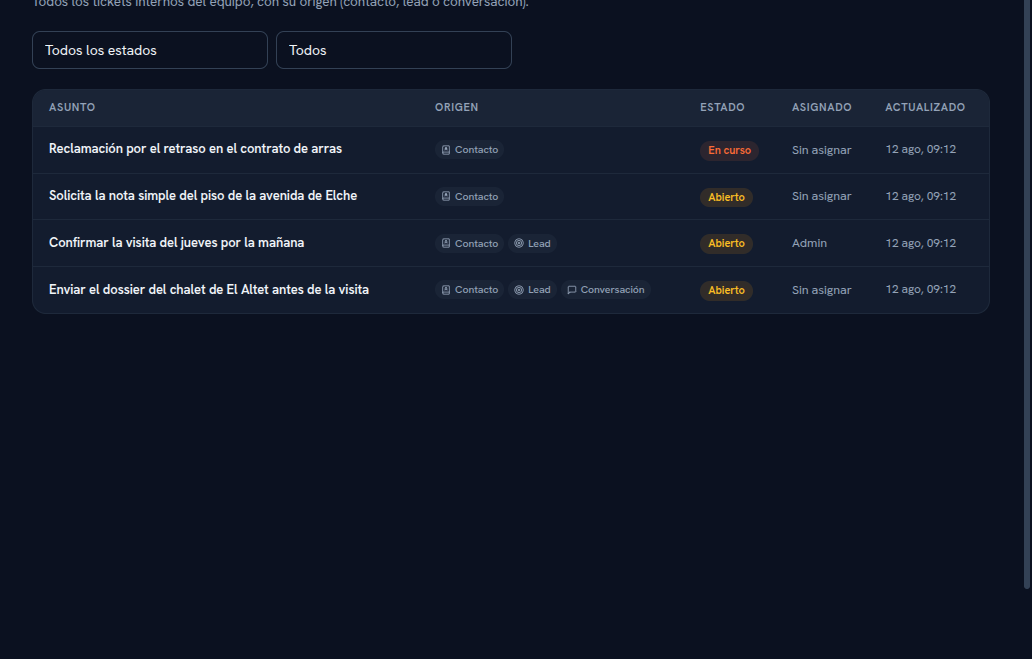
- Go into Tickets, in the sidebar. It brings together all of your agency’s internal tickets in a single list, without having to go into each contact separately.
- Filter by status with the “All statuses” dropdown: Open, In progress or Closed.
- Filter by assignee with the second dropdown (“All”): Mine or Unassigned.
What the table shows, by column:
- Subject — the ticket’s title.
- Source — one or more chips: “Contact”, “Lead”, “Conversation”, depending on where it comes from. Tap any chip to go straight to that record (the contact, the lead or the conversation) without going through the ticket.
- Status — Open, In progress or Closed, with a distinctive color.
- Assigned — the responsible colleague, or “Unassigned”.
- Updated — date and time of the last change.