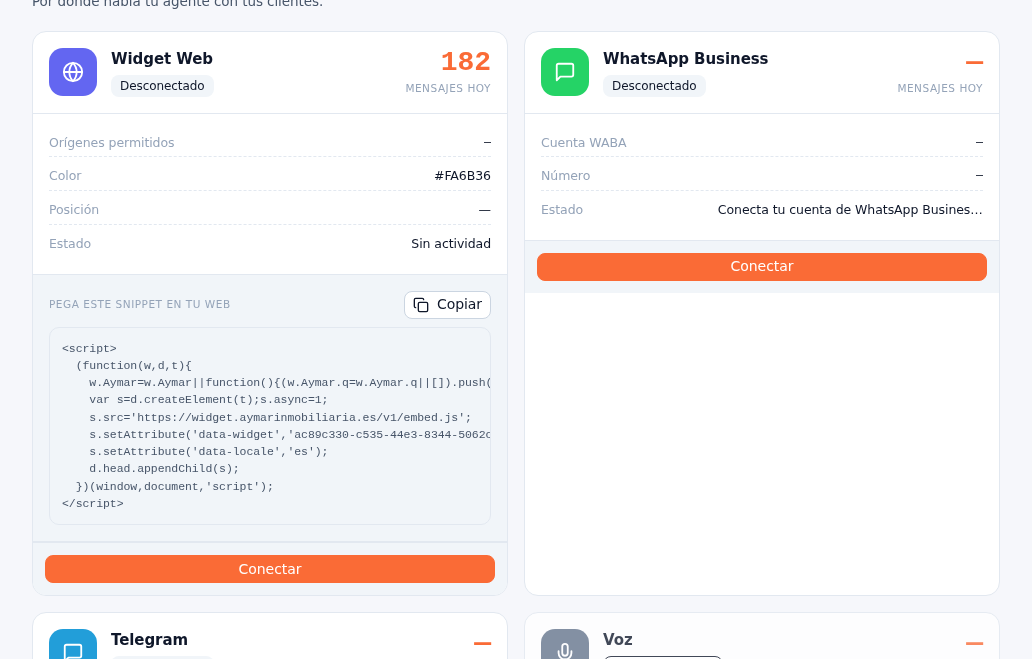
Connecting WhatsApp is a flow hosted by Meta, not the platform’s own form: tapping Connect takes you out of the Platform to Meta’s registration and brings you back already linked.
Requirements: administrator role; having your number and your WhatsApp Business account (WABA) on Meta ready (or setting them up on the spot).
- On the WhatsApp channel’s card, tap Connect.
- Meta’s registration link opens. There you choose (or set up) your number and your WABA.
- Once registration on Meta is done, the Platform syncs the account and registers the messaging webhook for you, with no further steps on your part.
Result: the card switches to showing Connected status, with the WABA account and the number linked in the card’s “WABA account” and “Number” fields.
The full step-by-step of registering with Meta (number, verification, WABA) is in Manual 07 · WhatsApp Meta. To disconnect an already-linked number, tap Disconnect on its card. Repeat “Add channel” (section 3) as many times as WhatsApp numbers you want to connect — each one is left as an independent card, with its own name, agent and owners.