
Skip to content

Launch

Procedure: link WhatsApp

Requirements: two-factor verification on (section 2).

  1. Go into your Profile and find the “Channel-linked access” panel, below “My API keys”.
  2. On the WhatsApp row, tap “Link”.
  3. Declare your own WhatsApp number — the one you’re going to chat from, not the business number: choose your country in the prefix dropdown (searchable, with your agency’s country as the default value) and type your national number, without the prefix, in the field next to it.
  4. Tap “Continue”.

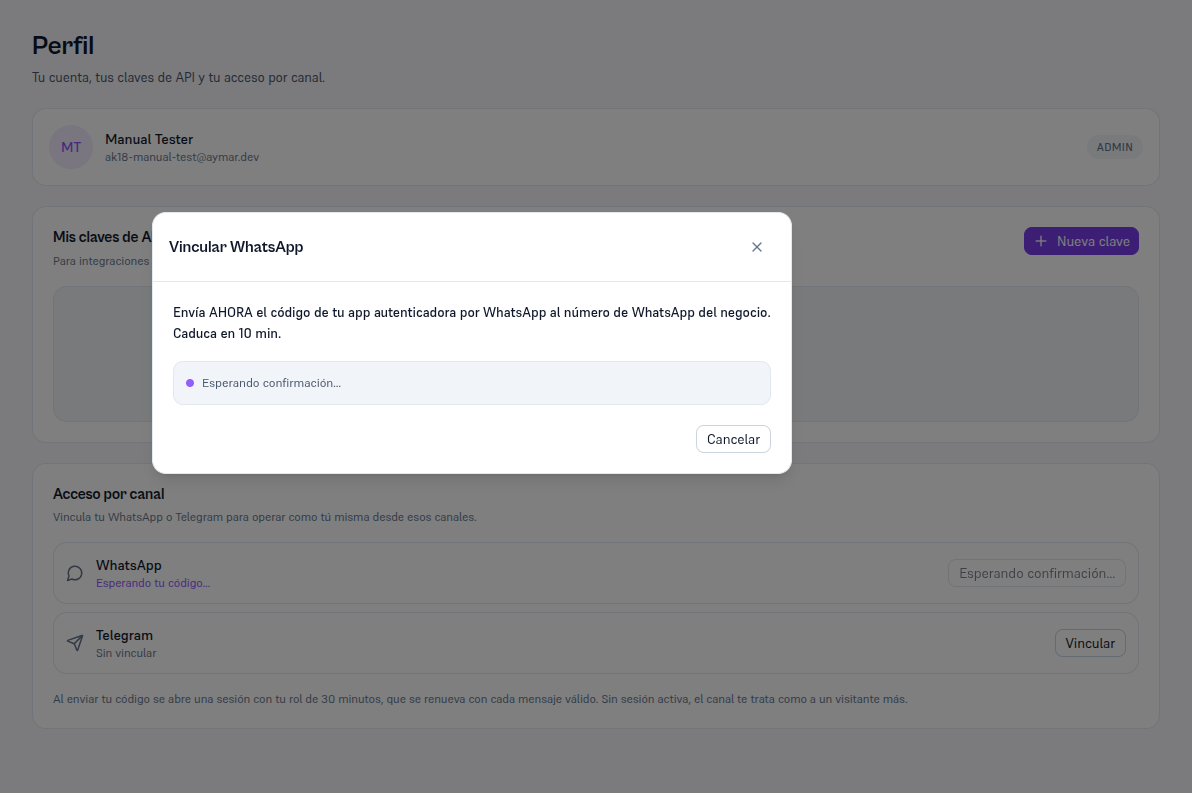
Result: the modal moves to a second step asking you to send, over WhatsApp, the code from your authenticator app — with a 10-minute window to do it (section 5 for the detail of what happens in the chat itself).
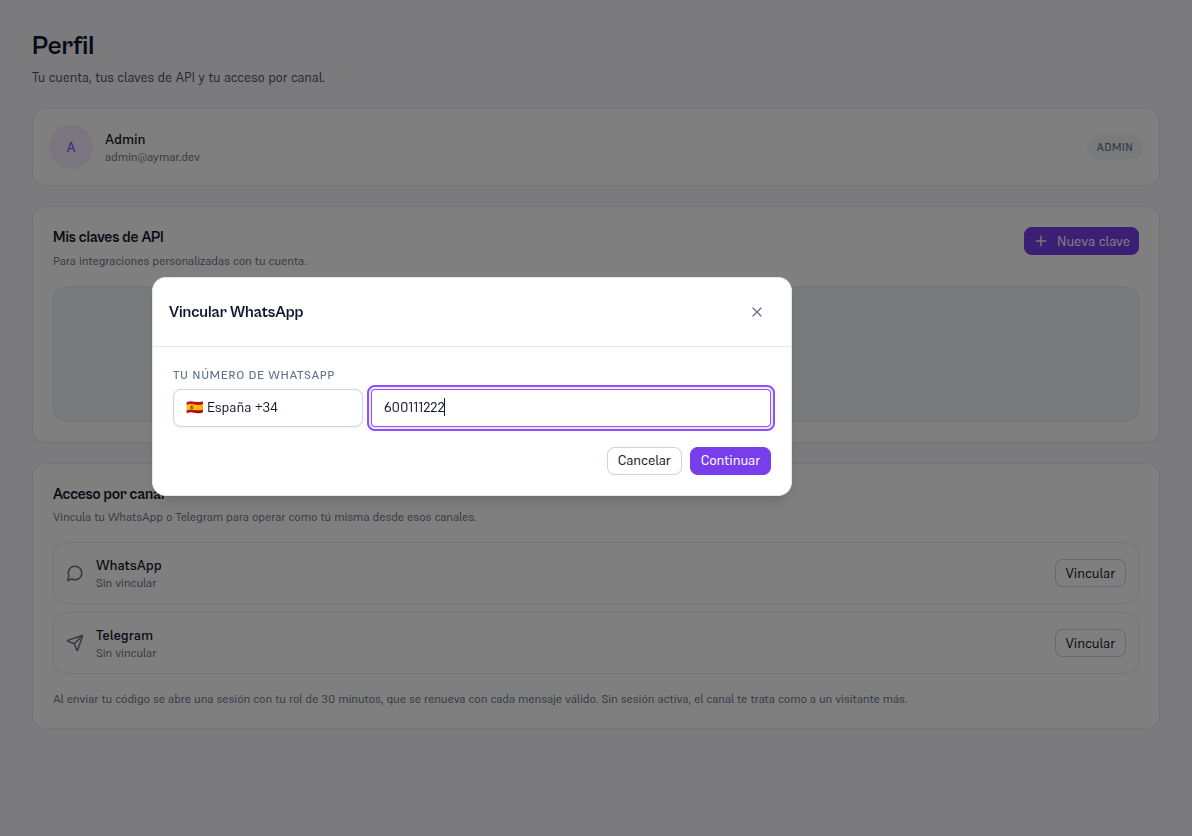
Profile page (admin@tu-negocio.com) with the Link WhatsApp modal open: the "Your WhatsApp number" field made up of the Spain +34 country-prefix dropdown and the number 600111222 in a separate field, and the Cancel and Continue buttons

Profile page with the Link WhatsApp modal on the "Waiting for confirmation…" step, with the text "Send the code from your authenticator app by WhatsApp to the business's WhatsApp number NOW. Expires in 10 min" and the Cancel button