
Skip to content

Operate

The lead's record: fields and actions

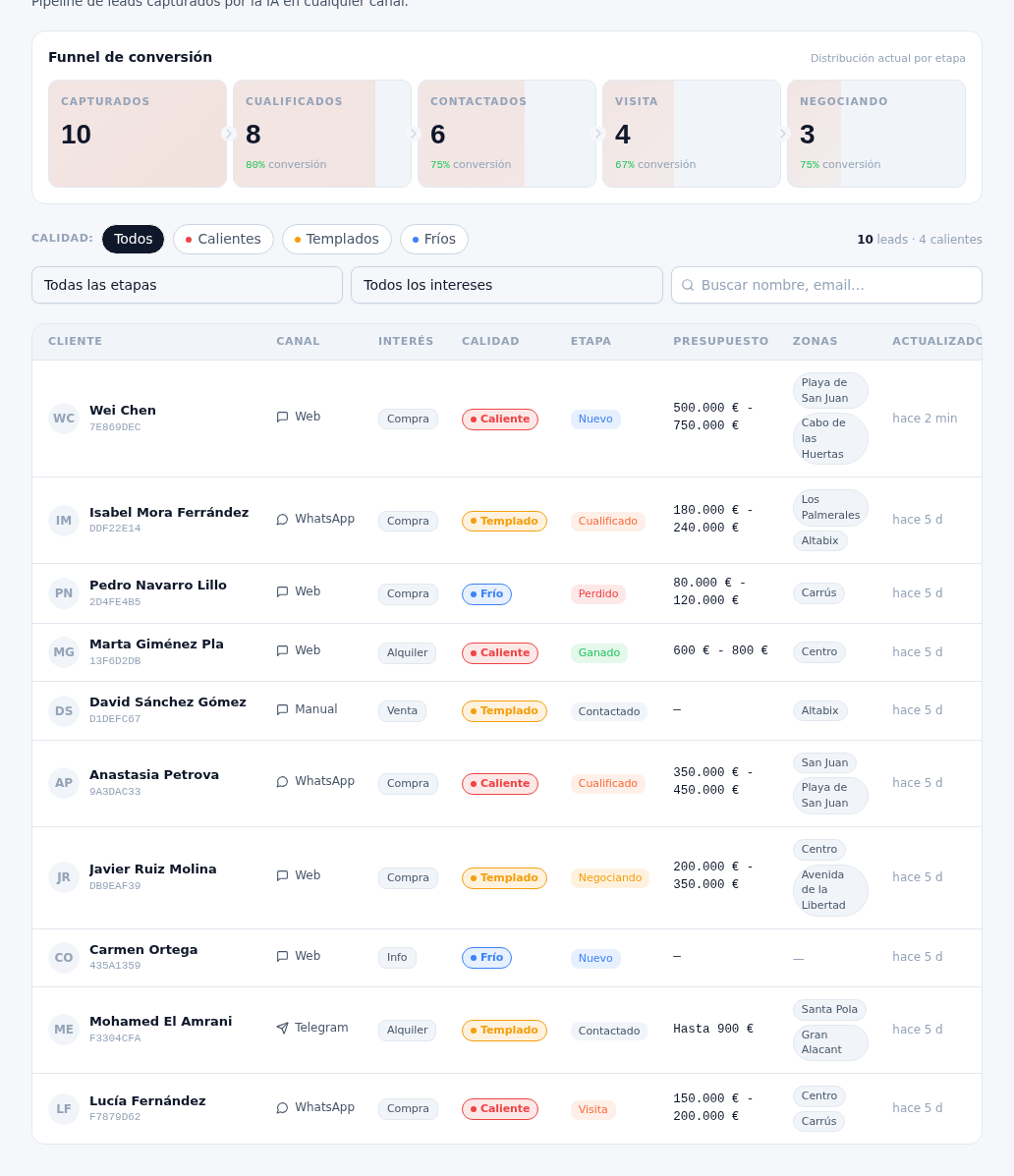
It opens by tapping a Board card or the “View” button on a List row. It gathers, expanded, the same data the table previews:

  • Interest: the type of interest detected (for example, buying or renting).
  • Quality: Hot, Warm, Cold or Unrated.
  • Source / channel: where it came from — WhatsApp, Telegram, Web or Manual —, and if it was manual, the specific source (call, portal, in person, referral… see manual 14 · Manual leads).
  • Owner (“Assigned to”): the team member who owns the follow-up; the detail of how to assign it is in manual 14 · Manual leads, section 3.
  • Internal notes: the free-text field where your team jots down each contact’s context (what they asked for, budget, urgency…) — it’s never sent to the customer.
  • Tickets: a section with the internal tickets open on that lead, and a “Create ticket” button that automatically links it to the lead and its contact, without you having to choose anything else (manual 20 · Tickets).

From the record itself you can also:

  • Create appointment: schedule a visit for that lead without leaving its record (manual 19 · Calendar).
  • Open the linked conversation: if the lead comes from a chat, it takes you straight to that conversation in the inbox (manual 16 · Conversations).
  • Start WhatsApp: if the contact has a verified phone, it starts a WhatsApp conversation with them right from the record.
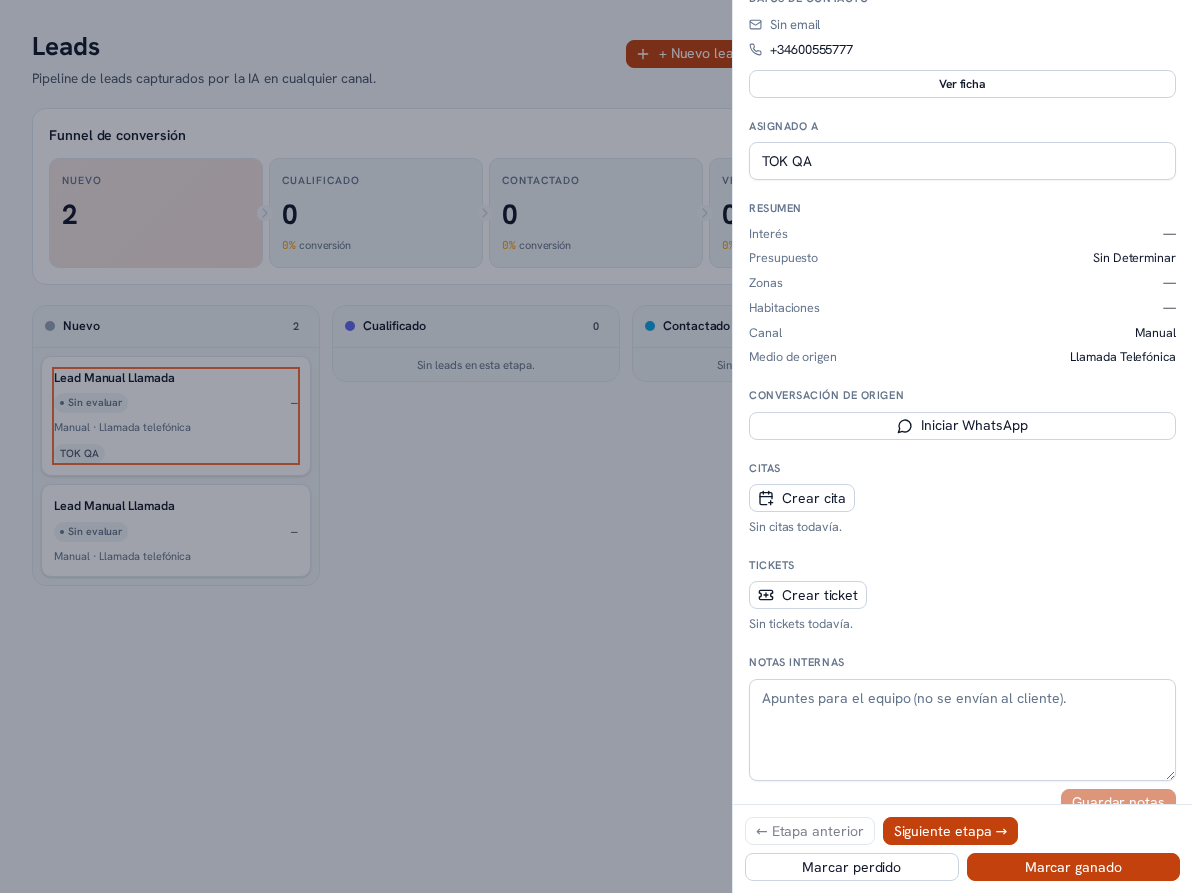
A manual lead's detail drawer opened from the right: header with the name and the "New" stage; Contact details (phone and View profile button); Assigned to; Summary with Interest, Budget, Areas, Bedrooms, Channel and Source medium; Source conversation with the Start WhatsApp button; Appointments with the Create appointment button; Tickets with the Create ticket button; Internal notes; and, at the bottom, Previous stage, Next stage, Mark lost and Mark won

The Leads List view's table showing several leads with all their columns: customer, channel, interest, quality, stage, budget, areas and last update — the same information each lead's detail drawer expands on