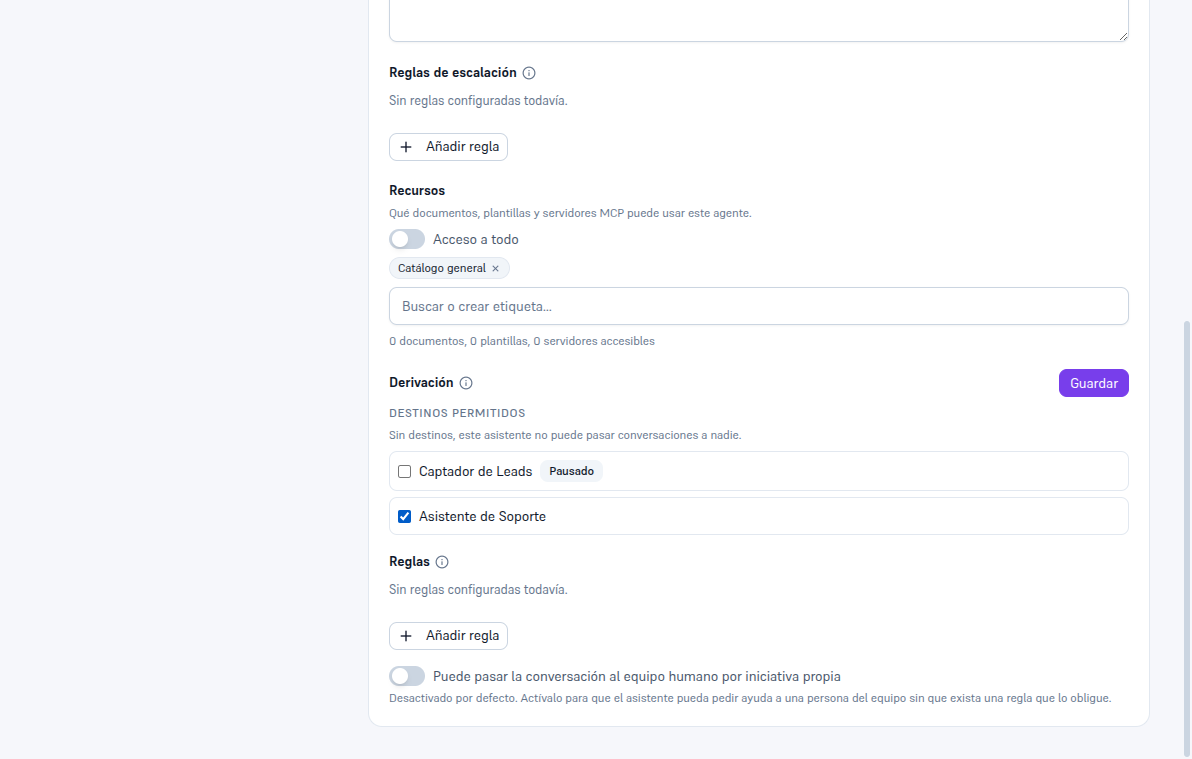
Go into AI agents, choose the assistant you want to be able to hand off (the source) and scroll down to the bottom of its record, to the “Handoff” section.
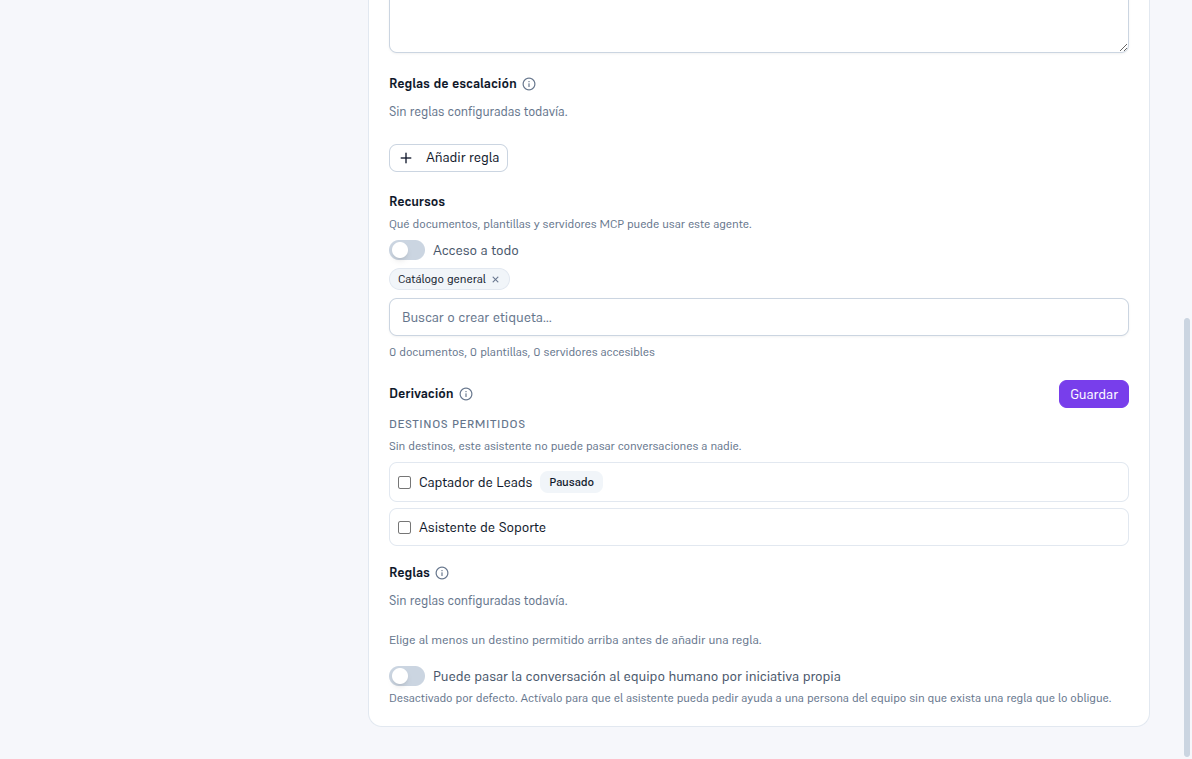
2.1 Allowed destinations
Section titled “2.1 Allowed destinations”Check the box for every assistant this agent can pass conversations to. A paused assistant can also be checked as a destination — it shows up with the “Paused” label so you’re aware.
2.2 Handoff rules (force it)
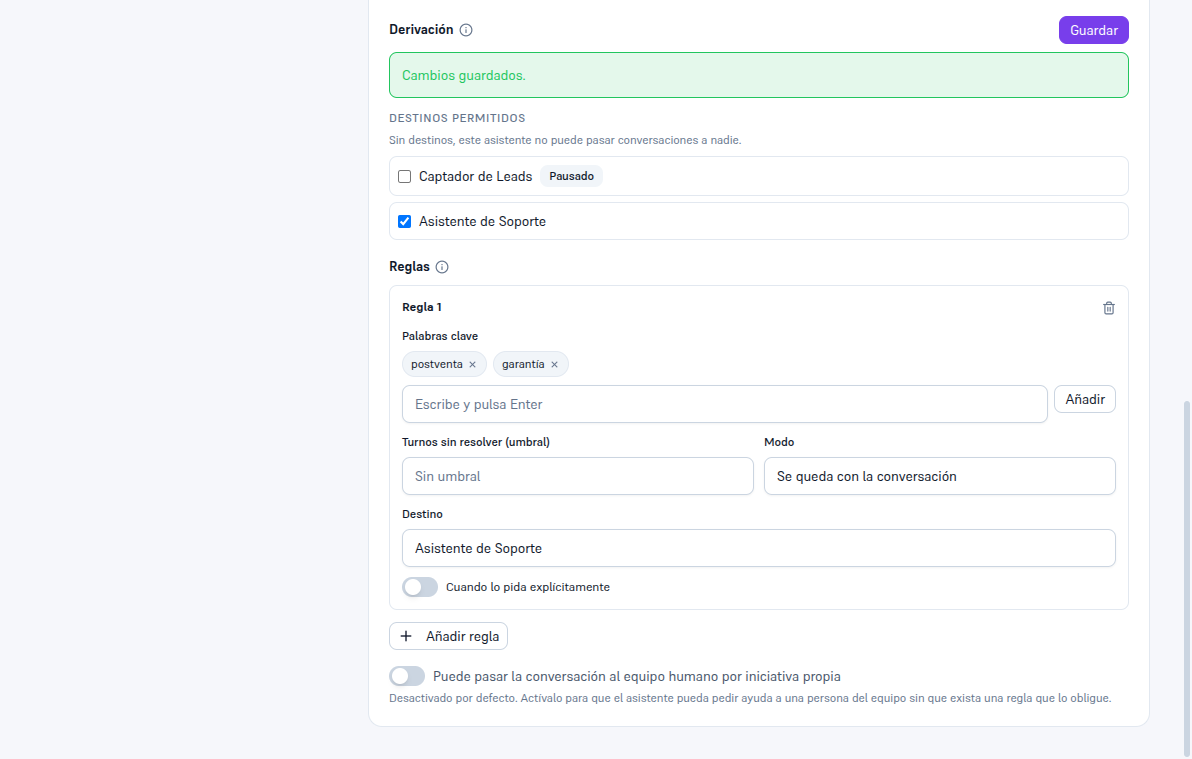
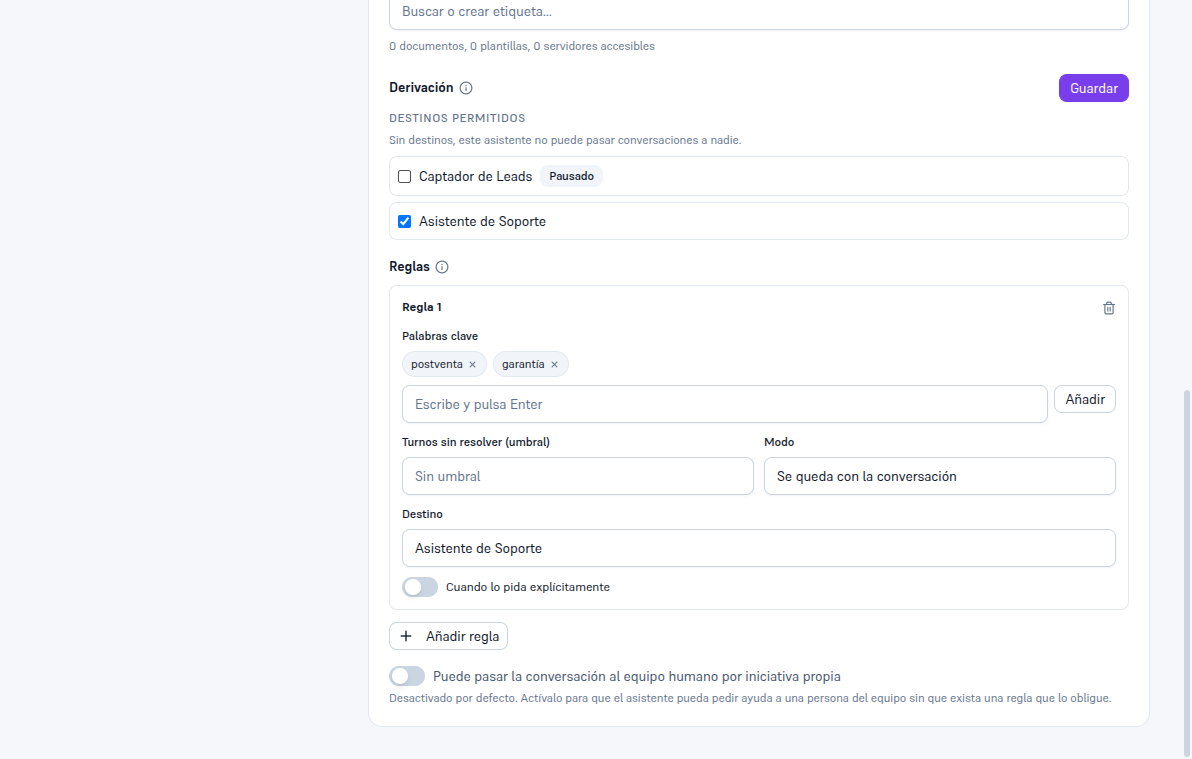
Section titled “2.2 Handoff rules (force it)”A rule makes the handoff happen automatically, without the assistant having to decide it. Tap “Add rule” and fill in at least one of these criteria:
- Keywords: type a word and press Enter (or the “Add” button) to keep adding more.
- Unresolved turns (threshold): if the conversation has gone more than a certain number of turns without progress.
- When explicitly requested: the customer directly asks to talk to that area.
Also choose the mode — “keeps the conversation” (the destination handles it from then on) or “consults and returns” (the destination resolves its part and the conversation returns on its own to the source) — and the destination, which can only be one of the ones checked in “Allowed destinations”.
2.3 Saving
Section titled “2.3 Saving”Tap “Save”, at the top right of the section. The change is active instantly — nothing needs to be restarted.
2.4 Handing off to the human team on its own initiative
Section titled “2.4 Handing off to the human team on its own initiative”At the bottom of the section there’s a toggle: “Can pass the conversation to the human team on its own initiative”. It comes off by default. Turn it on if you want the assistant to be able to ask someone on your team for help without an escalation rule forcing it — for example, facing a sensitive situation it recognizes on the fly. This is different from the usual human-escalation rules (Manual 23): here it’s the assistant itself deciding, not an automatic condition.