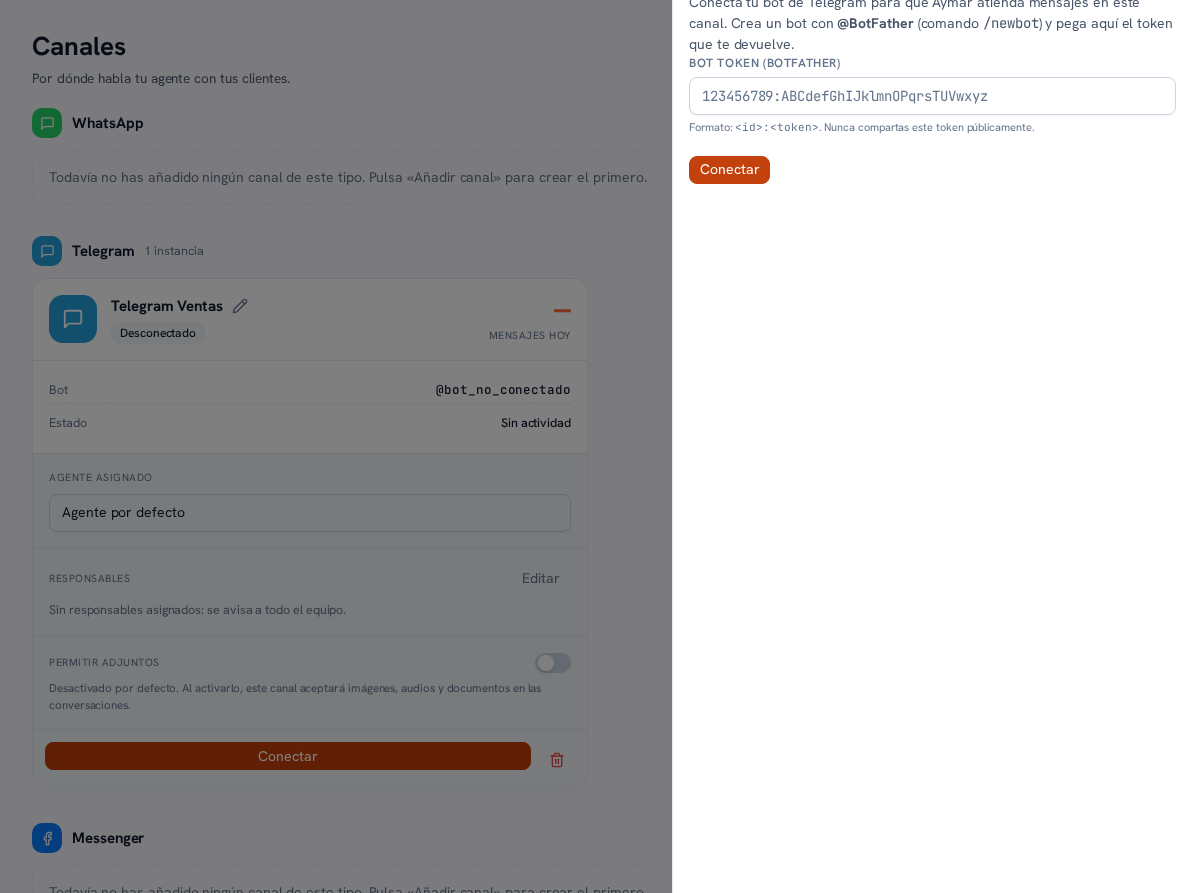
Telegram connects with a bot token created with Telegram’s BotFather — the Telegram bot that lets you create bots by chatting with it.
Requirements: administrator role; a bot already created on BotFather, with its token copied.
- On the Telegram channel’s card, tap Connect.
- When the connection wizard asks for it, paste the bot’s token.
- Confirm to link it.
Result: the channel is left Connected, with the bot’s username (for example @bot_not_connected
switches to showing the real bot) visible in the card’s “Bot” field.
Just like WhatsApp, you can repeat “Add channel” (section 3) to connect several bots — each with its own name, agent and owners.