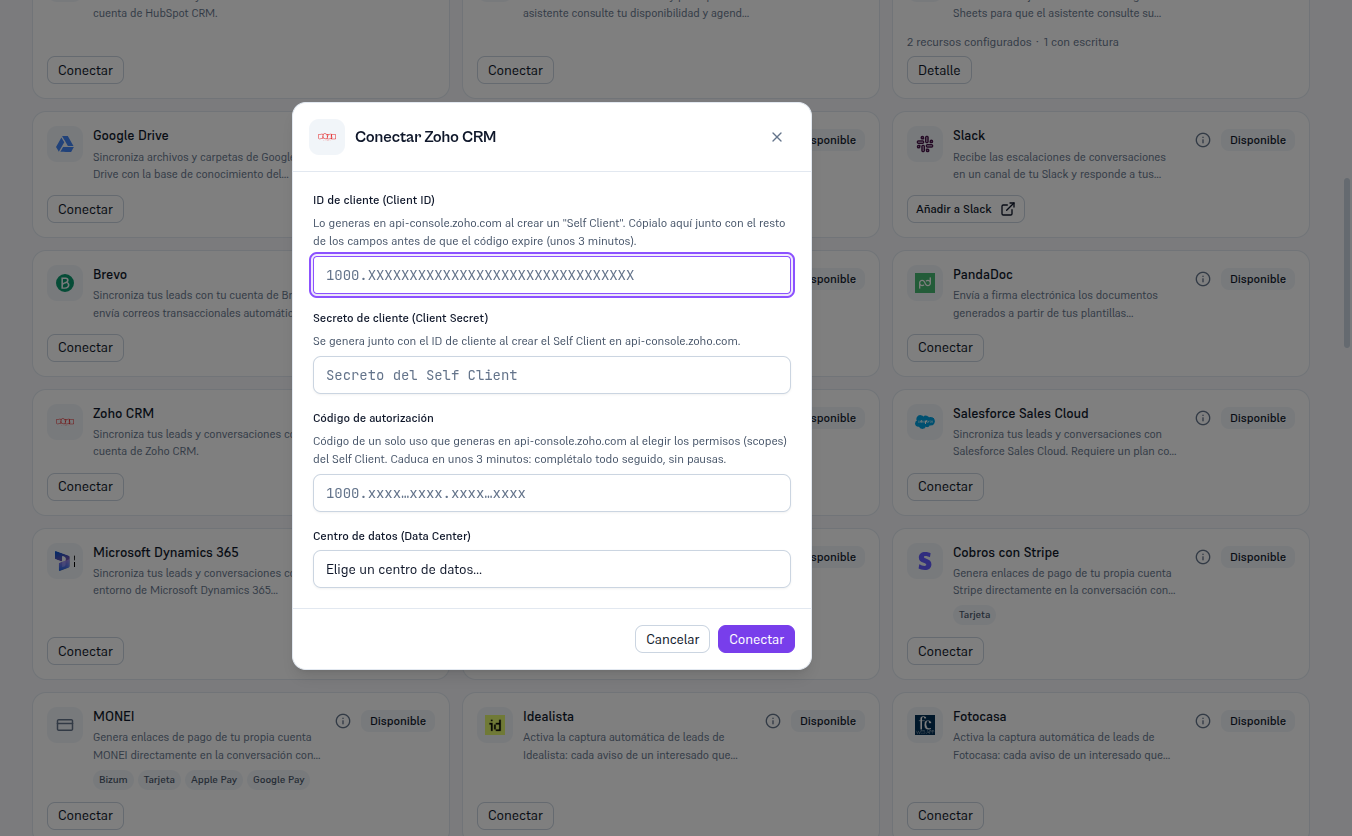
Requirements: Admin role; the four values from section 3, copied and ready BEFORE generating the authorization code (remember: it expires in about 3 minutes).
- In Integrations, find the Zoho CRM card (in “Available” status) and click Connect.
- Paste the Client ID, the Client Secret and the Authorization code into their fields.
- Choose your Data Center from the dropdown — United States, Europe, India, Australia, Japan, China or Canada.
- Click Connect, all in one go, without pausing.
Result: the Platform exchanges the code for a real token against Zoho before saving anything — the code itself is never saved, and it also dies the moment it’s used once. If the code already expired or the chosen data center doesn’t match your account, you’re told the specific error (section 8) and no credential is saved. If it succeeds, the card switches to Connected.