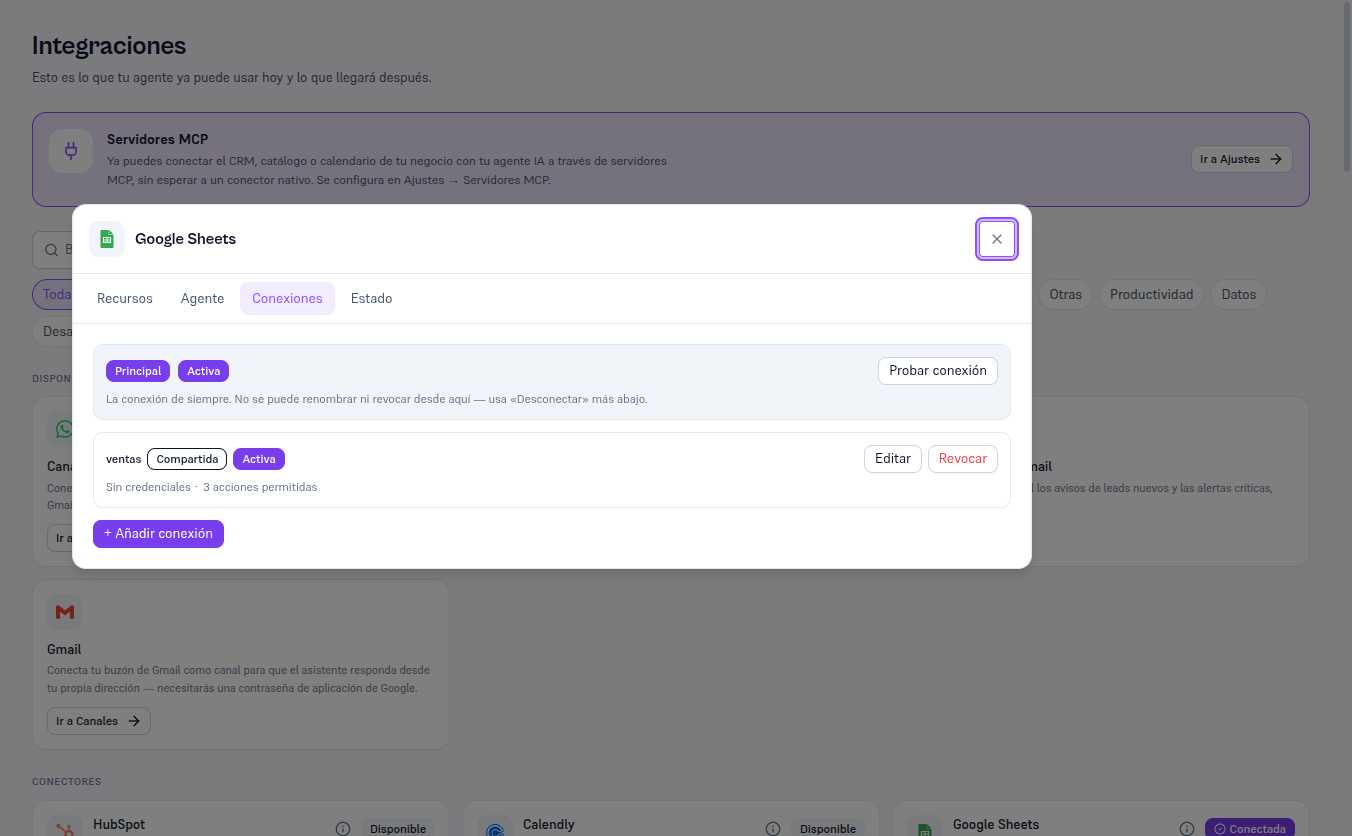
Most integrations (HubSpot, Salesforce, Brevo, Shopify…) work with a single connection, called “principal”, shared by the whole tenant. A few integrations (Google Sheets, Google Drive, Email) also allow named connections: several extra connections, each with its own name, its own credentials or resources, its own list of allowed actions and its own scope (shared across the whole tenant, or just for a specific flow). Manual 61 · Named connections and invoices by email covers that mechanism in detail.
The Connections tab of the detail modal (section 4) always shows the principal connection first — it can’t be renamed or revoked from there, that’s what “Disconnect” in the Status tab is for — and, if the integration supports them, the named connections below it, with a + Add connection button.