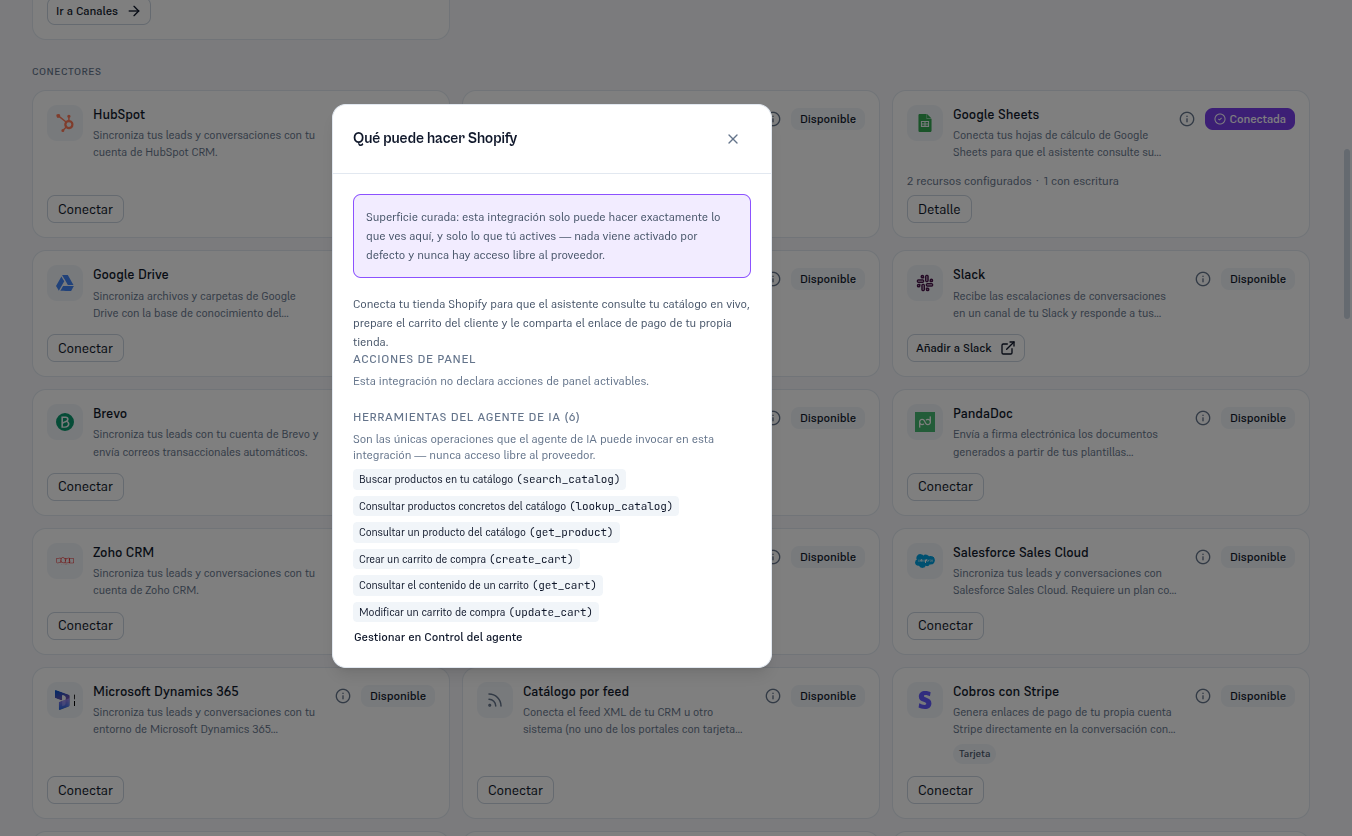
Shopify is the only integration in the catalog with no panel actions: connecting it triggers nothing in the background, it only makes its six tools available to the agent — they’re born off until you activate them.
From the Shopify card, already Connected, click Details to open its record. You’ll see four tabs — Resources (Shopify has no additional resources to configure here, so this tab stays empty), Agent, Connections (the “principal” connection, the only one for this integration) and Status (section 6).
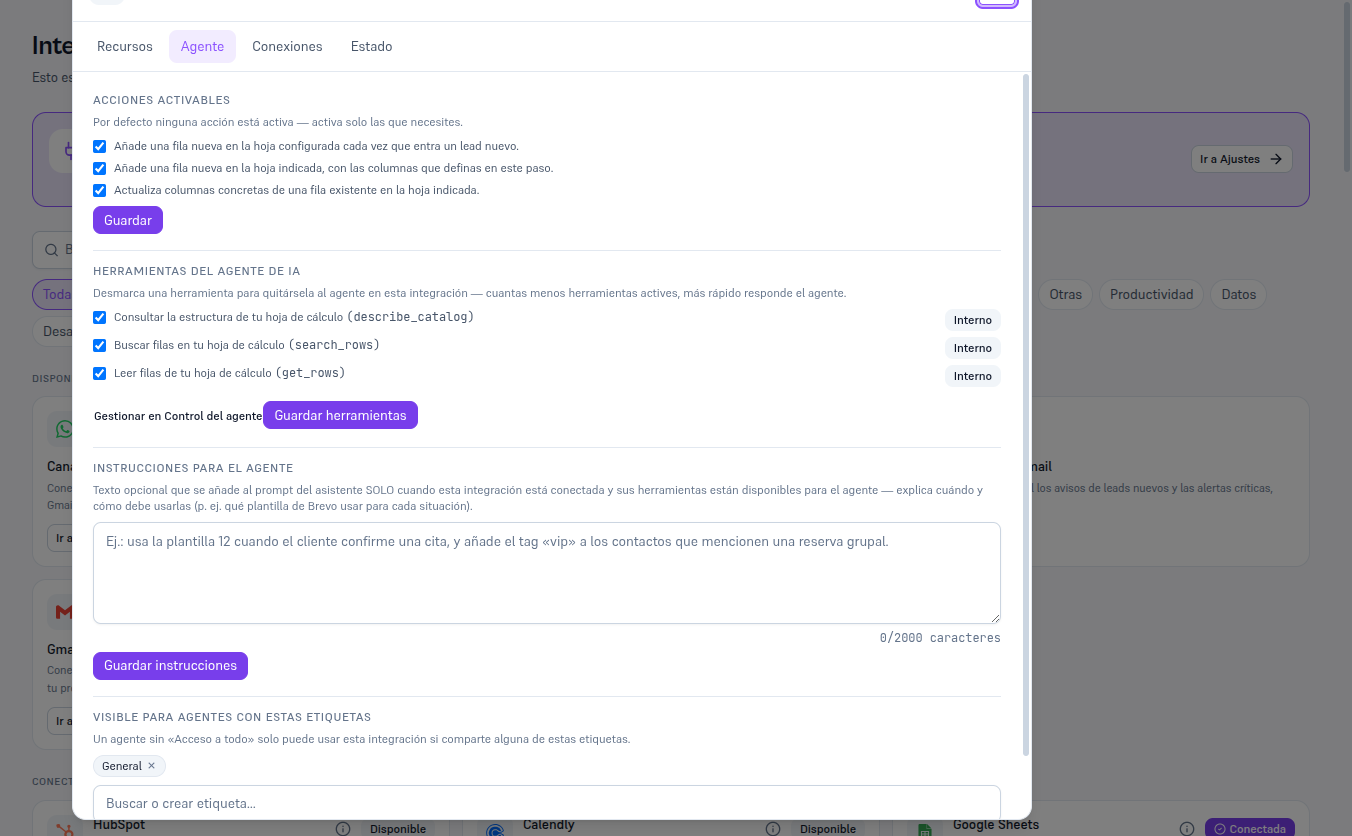
In the Agent tab you won’t see a panel-actions checklist — only the list of AI agent tools, with the six operations the agent can invoke (section 7), each with a button to uncheck it, and a “Manage in Agent control” link that takes you to the screen where you decide, per tool, whether it’s Internal or Both — Manual 52 · Agent control and permissions covers that screen in detail.
Note — Shopify is the only integration with 100% of its tools set to “Both”
By default, all six tools (search/look up catalog, create/check/modify cart) are Both: your end customers see them pass through as-is, because they’re exactly what you’d expect from a store clerk — looking up products and putting together a cart isn’t a sensitive action that needs to stay hidden from the customer.
The “What can Shopify do” button (the i icon) on the card itself shows this same summary without needing to connect yet.
Once connected, the detail’s Agent tab shows the tool list already with checkboxes to activate/deactivate and a Save button. The example below uses Google Sheets (already connected in this test tenant) to show what that tab really looks like once there’s a connection — with Shopify connected you’ll see the tool list described above, with no panel-actions checklist.