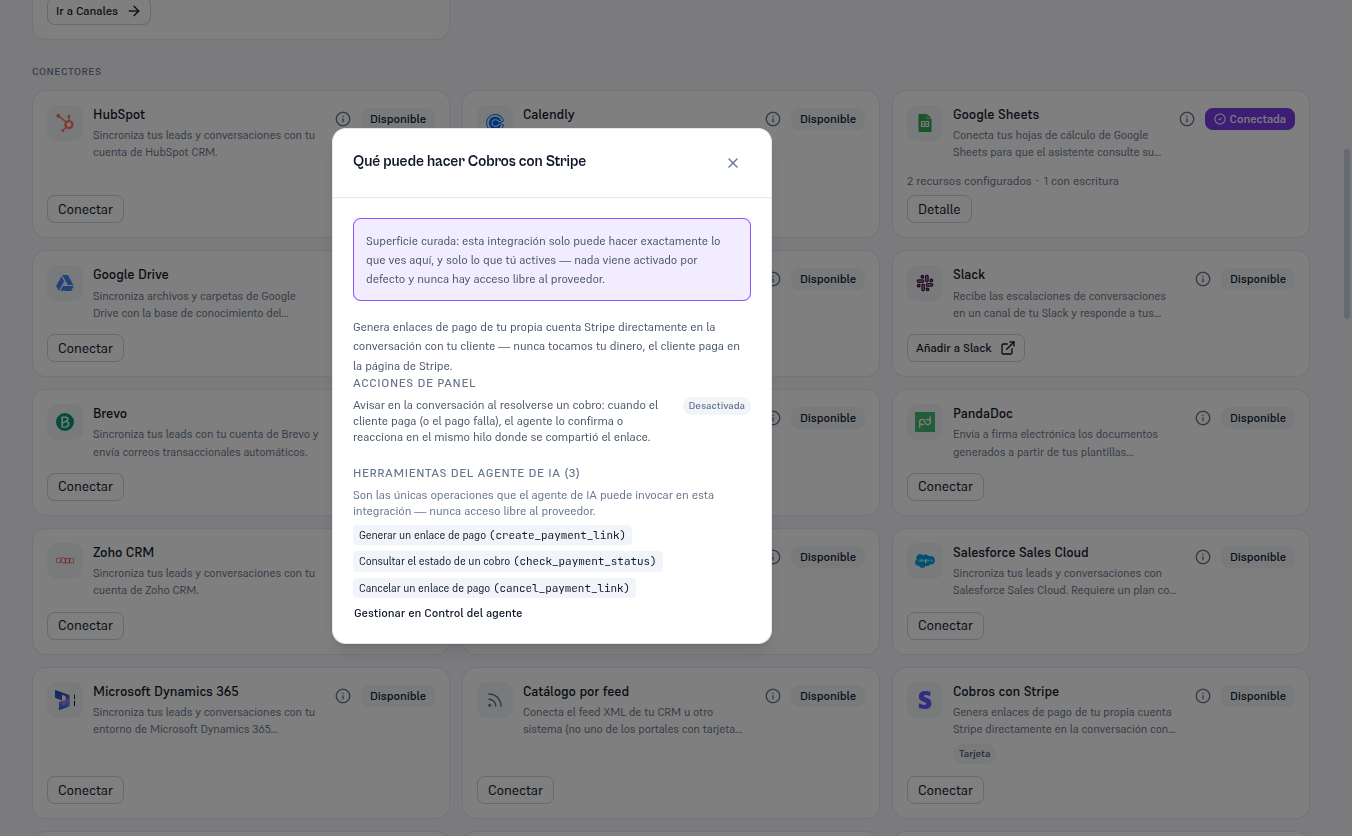
Connecting Stripe doesn’t activate the panel action on its own — it’s born off, the same “nothing on by default” principle that governs the rest of your agents’ resources. The only payment method Stripe serves today is Card, and that one is marked from the first moment because it’s the only one there is to choose.
From the Payments with Stripe card, already Connected, click Details to open its record. You’ll see four tabs:
| Tab | What it contains |
|---|---|
| Resources | The “Payment methods this connection serves” checklist — today, a single method (Card) that you can uncheck if you don’t want the agent to offer it through this specific connection. |
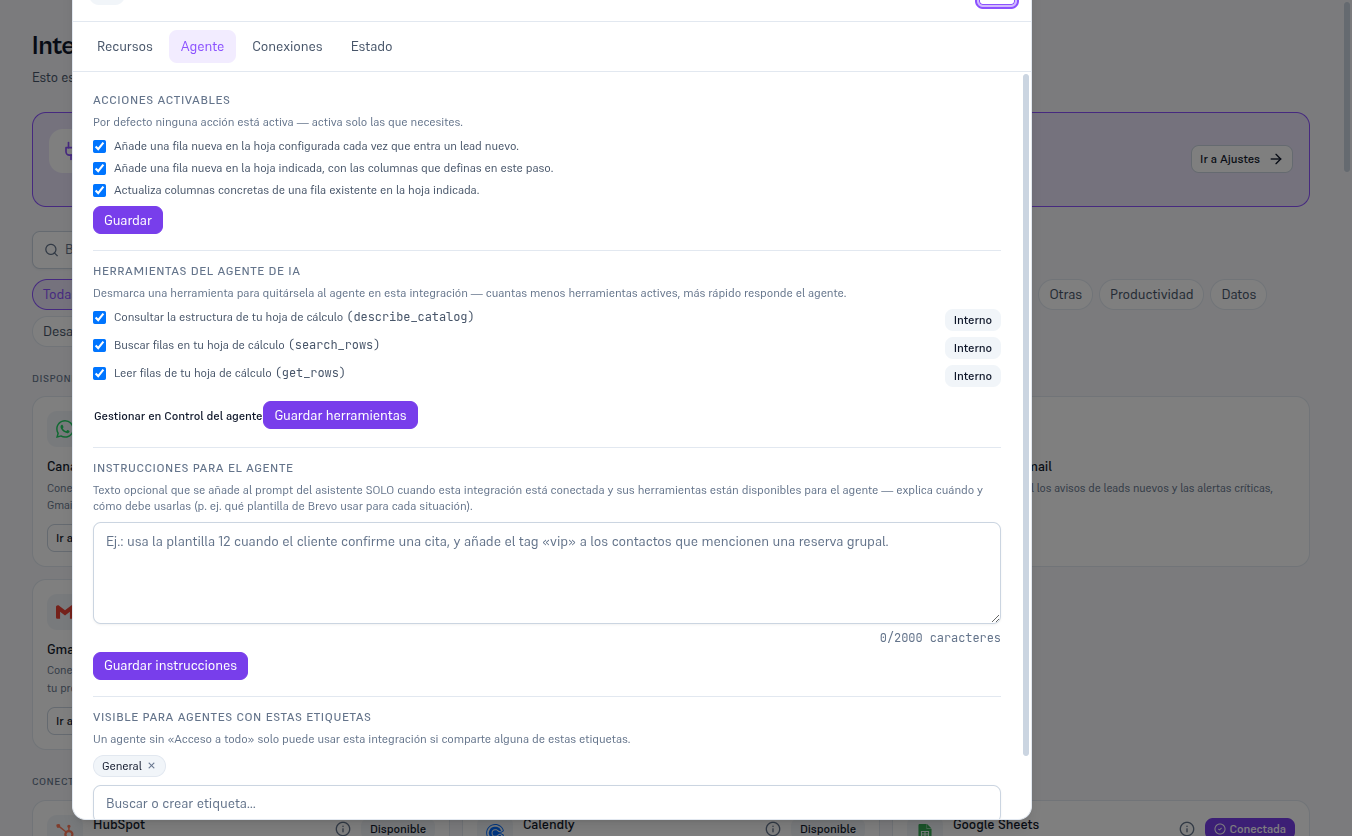
| Agent | The checklist for the “Notify in the conversation when a payment resolves” panel action and the list of the three agent tools, each with its own Save button. |
| Connections | The principal connection — the only one for this integration. |
| Status | The “Test connection” and “Disconnect” buttons. |
Warning — Figure pending a session with a real key
The payment-methods checklist (Resources tab) can only be photographed with a genuinely active Stripe connection — since this guide doesn’t create accounts with external providers, that screenshot remains pending the dedicated session with a real test key (see this task’s report). In the meantime, the mechanism is the same as the rest of this platform’s checklists: checkboxes + a “Save methods” button.
The “Manage in Agent control” link on the Agent tab takes you to the screen where you decide whether “Notify in the conversation when a payment resolves” and each tool are Internal (only your team) or Both (your customers too) — Manual 52 · Agent control and permissions covers that screen in detail.
The “What can Payments with Stripe do” button (the i icon) on the card itself shows this same summary without needing to connect yet.
The example below uses Google Sheets (already connected in this test tenant) to show what the Agent tab really looks like once there’s a connection — with Stripe connected you’ll see a single panel action (instead of three) and the three payment tools described above, instead of Sheets’ own.