Requirements: Admin role; the four values from section 3.
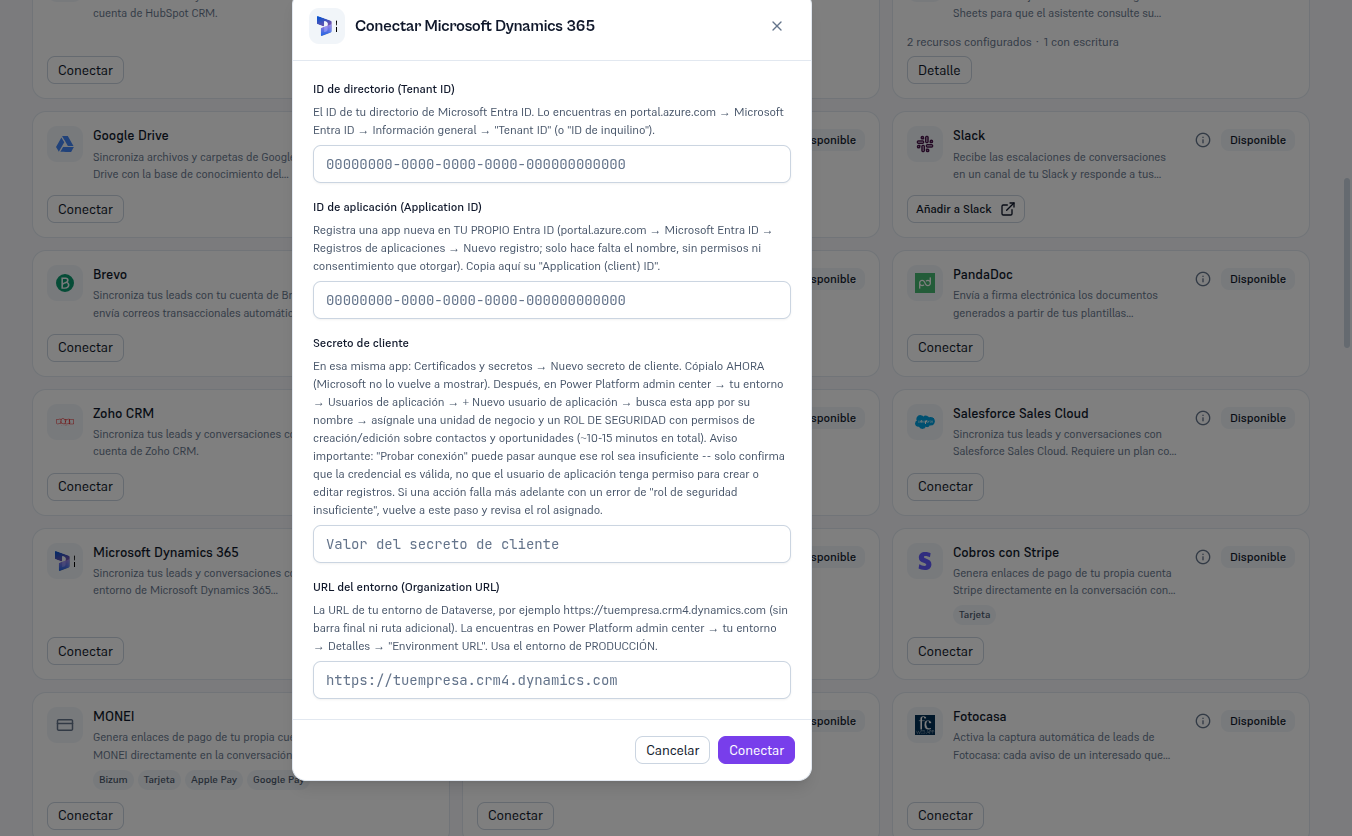
- In Integrations, find the Microsoft Dynamics 365 card (in “Available” status) and click Connect.
- Paste the Tenant ID, the Application ID, the Client secret and the Organization URL into their fields — the modal repeats section 3’s detailed help on each field, including the notice about the security role.
- Click Connect.
Result: the Platform verifies the credential against Dynamics for real (a WhoAmI call) before saving anything. If verification fails, you’re told the specific error (section 8) and no credential is saved. If it succeeds, the card switches to Connected — remember this confirms the credential is valid, not yet that the security role has enough permissions to create or edit records (section 3).